
Notifications for work orders, reporting on changes to configuration object values for a selected period, request printing…
Top news
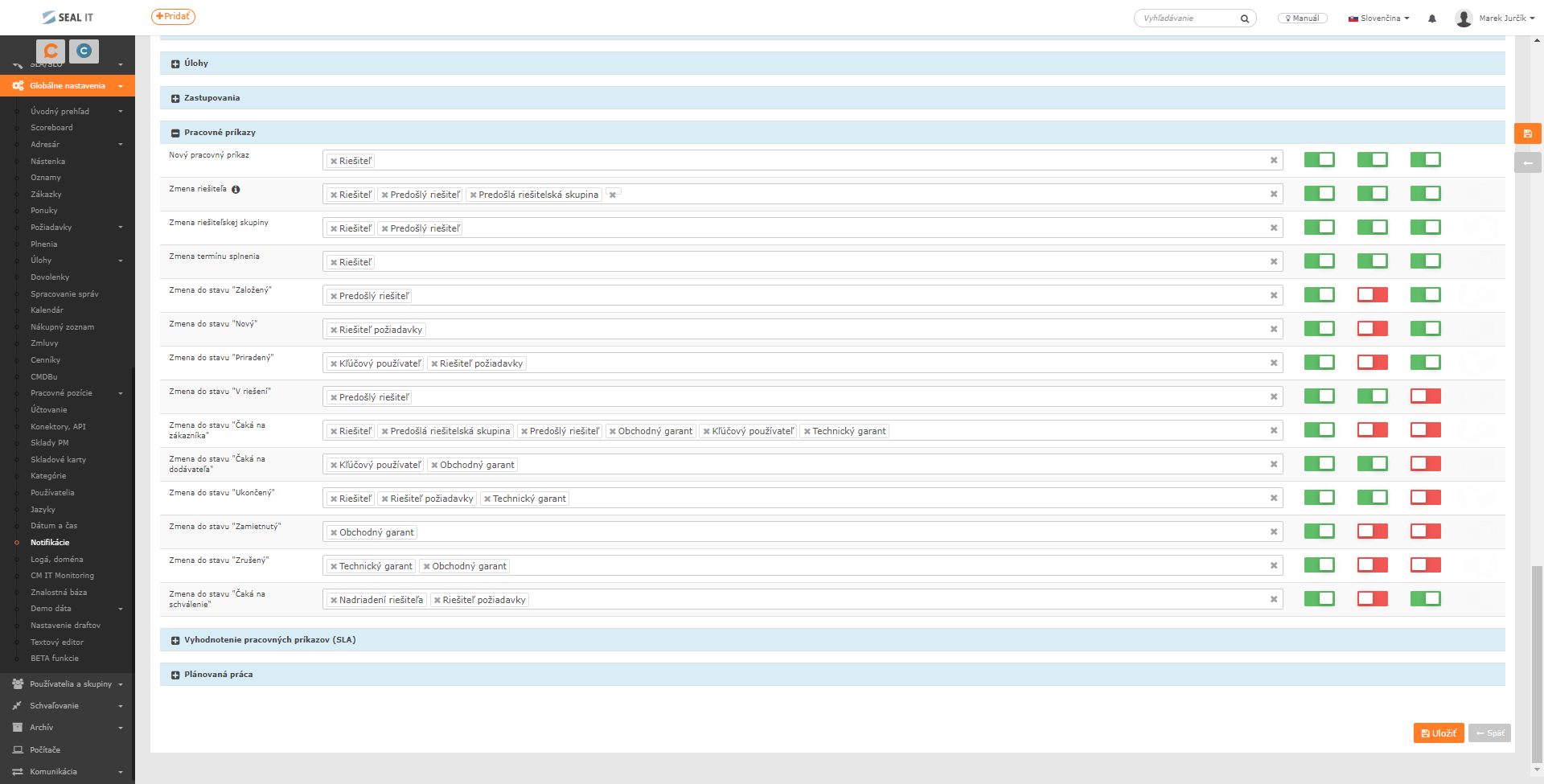
Notifications for work orders
As of version 3.0.167, it is possible to configure the recipients of work order notifications for the following actions:
- Creation of a work order
- Assignee change
- Assignee group change
- Completion deadline change
- Change to any of the activated work order statuses
- Evaluation of deadline compliance
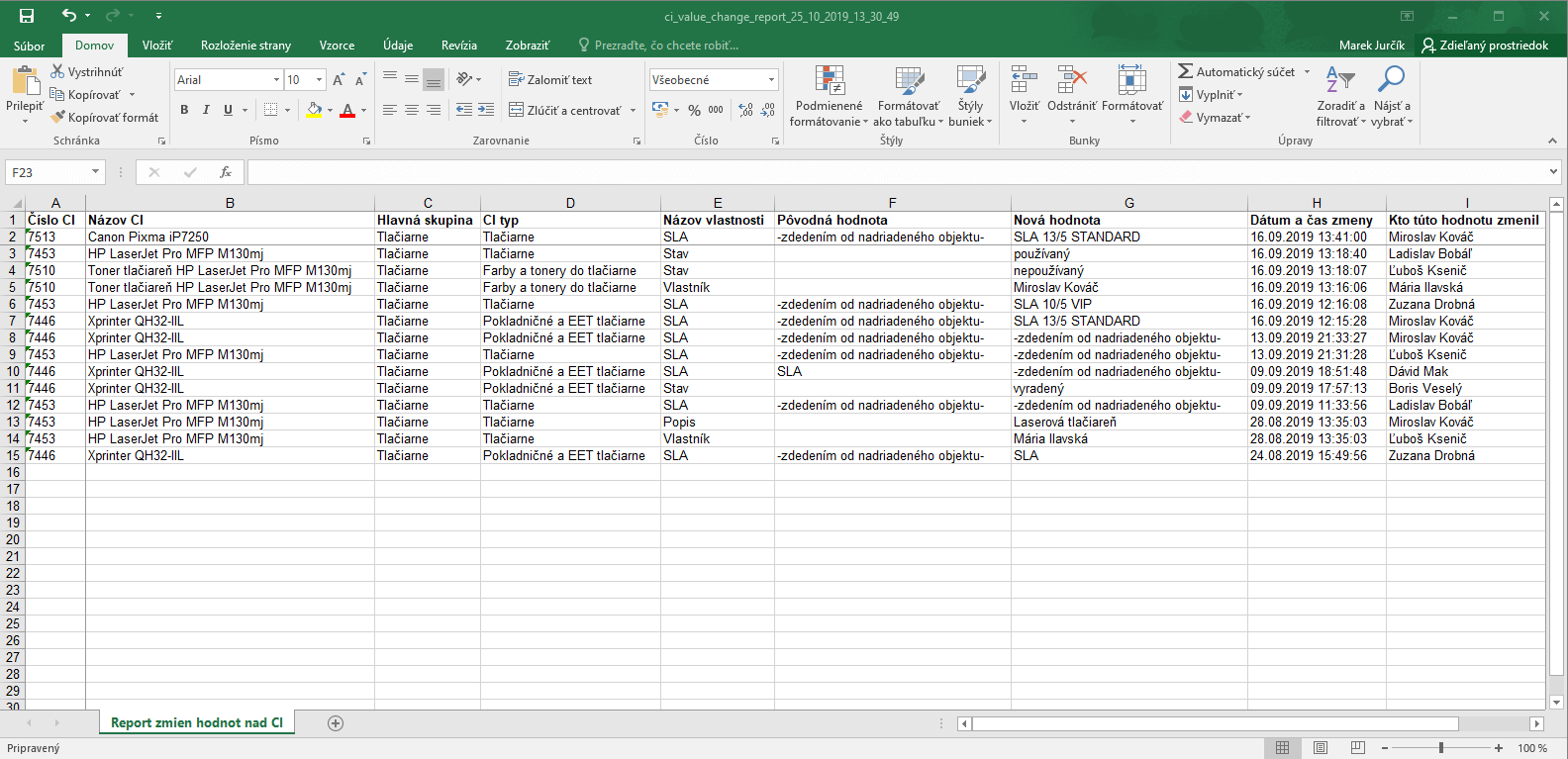
Reporting on changes to configuration object values for a selected period
A new Reports item has been added to the main menu, where you will currently find a list of changes to configuration object values for a selected period. We will be adding further reports on an ongoing basis. 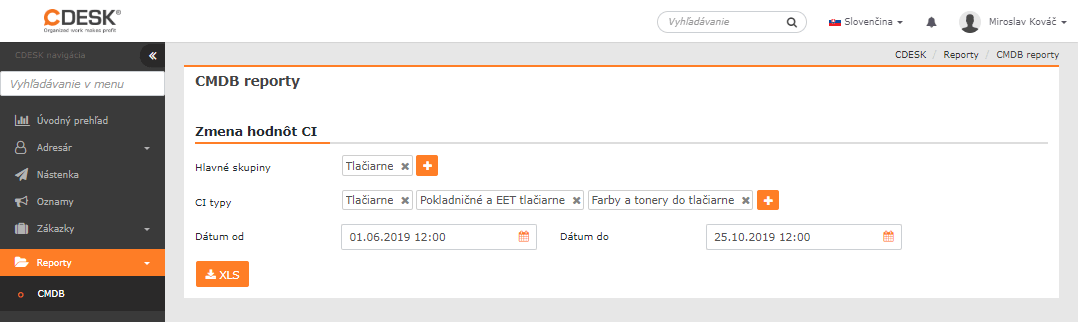
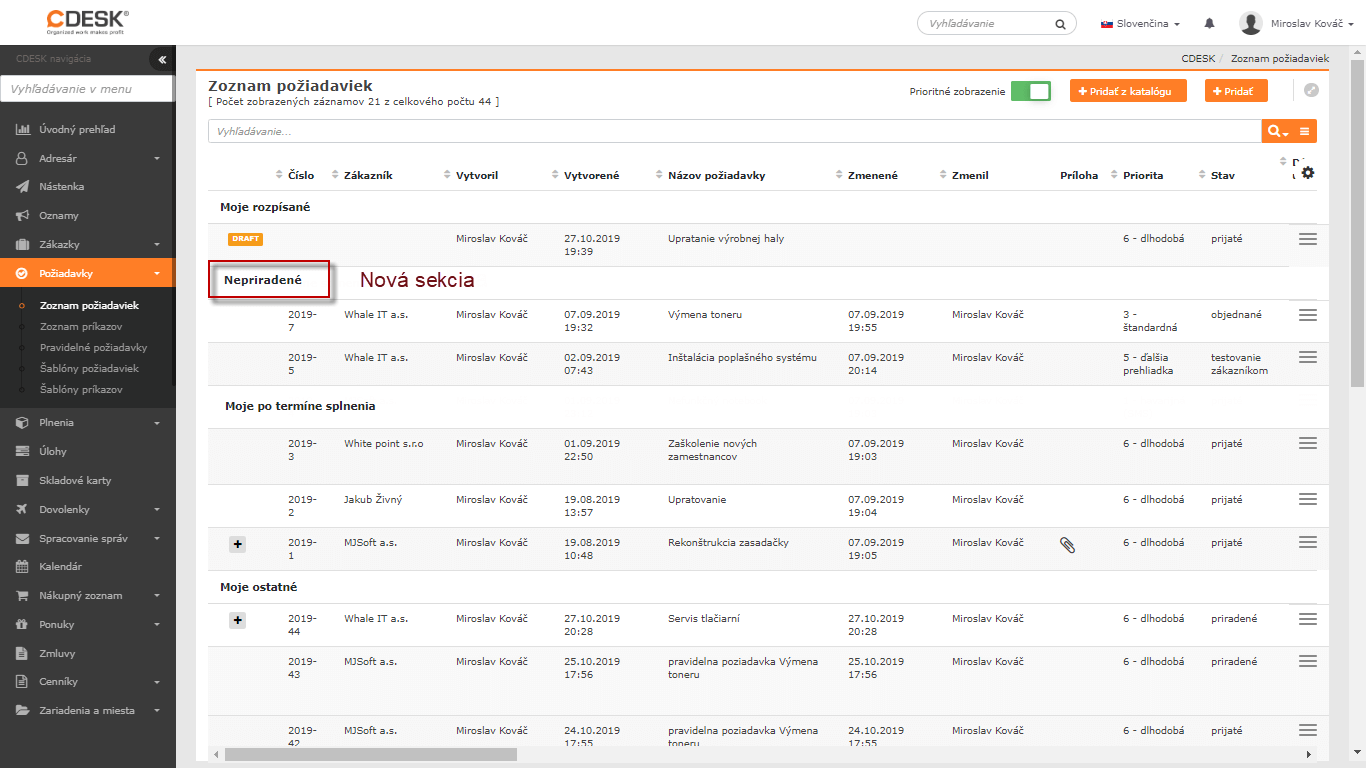
Changed priority display of Requests and Work Orders in the list
Requests and Work Orders are sorted into seven categories in the list. As of version 3.0.167, the criteria for sorting into these categories have been adjusted as follows:
- My drafts – drafts created by the logged-in assignee
- Unassigned – requests that are assigned to one of the logged-in assignee’s groups
- My awaiting response – requests that are assigned to the logged-in assignee and are awaiting a response
- My overdue – requests assigned to the logged-in assignee where no response is awaited and the completion deadline has been exceeded
- My to resolve – requests assigned to the logged-in assignee that are not awaiting a response and are not overdue
- Other – other requests that do not directly concern the logged-in assignee but that they have access to. This also includes all closed requests and requests of other assignees from their own group
- My awaiting approval – requests assigned to the logged-in assignee’s assignee group. These may also be requests in which the logged-in assignee is listed and that are at the same time in the Waiting for approval status.
Request printing
You can now easily print a request directly from CDESK. The Print option creates a request preview that can be printed or saved as HTML. The preview in its current form contains the basic information about the request. 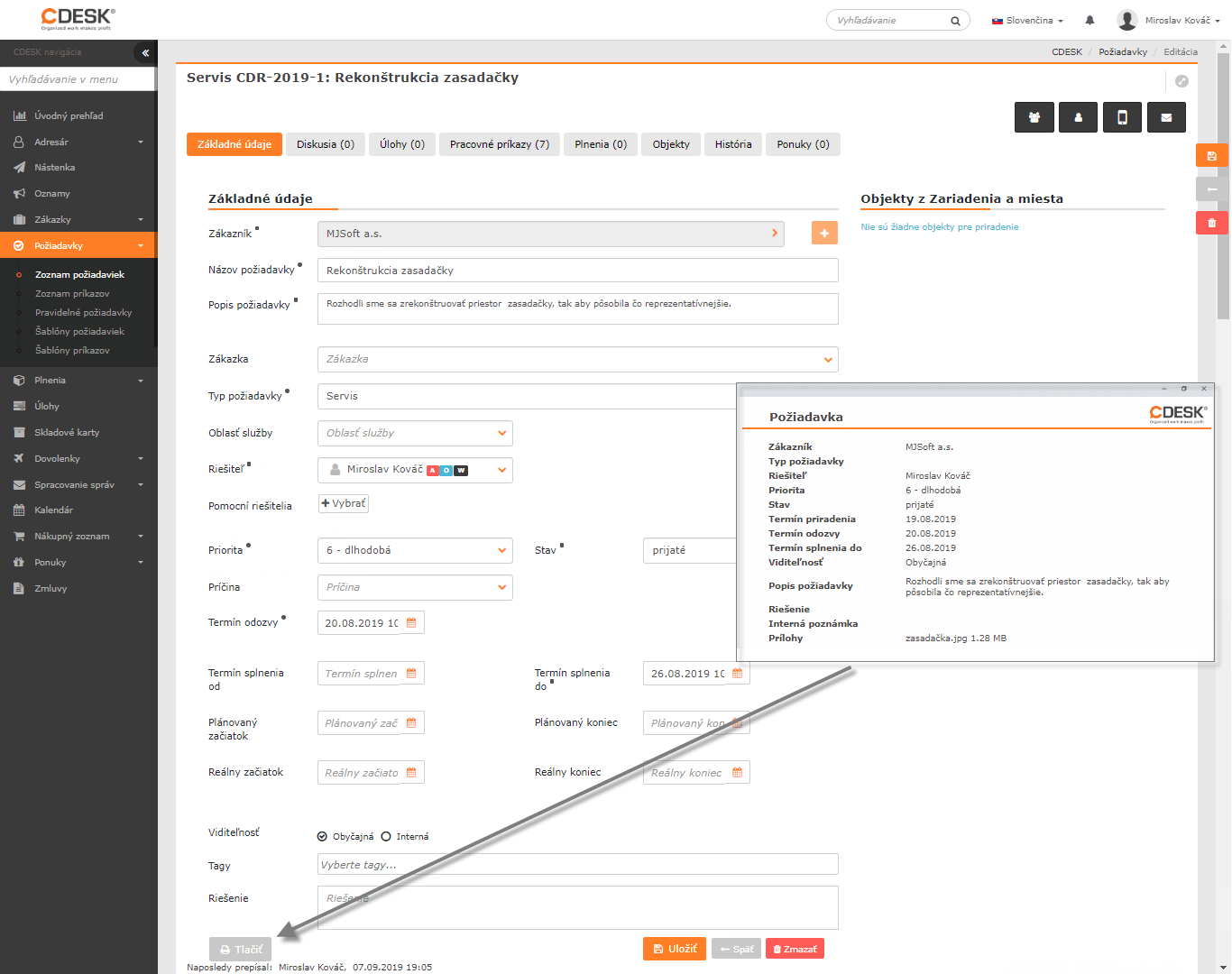
A selection of further news
Unification of assignee selection for service areas
As of version 3.0.167, it is possible to uniformly configure the default assignee and restrict assignees by service area for all account types at once. It is no longer necessary to configure assignees separately for the various account types. 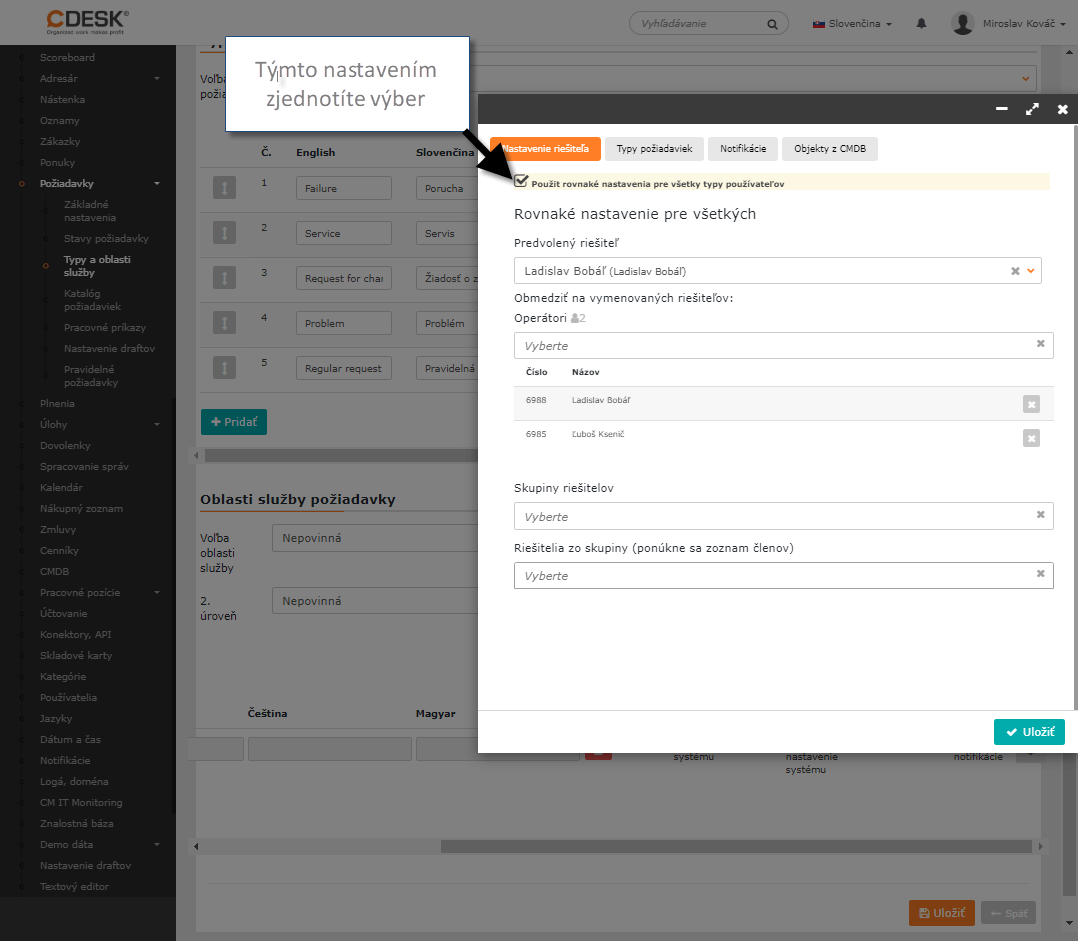
Change of request status order
In the request status settings, it is possible to select frequently used statuses. These are displayed in the first positions when selecting a status in a request. 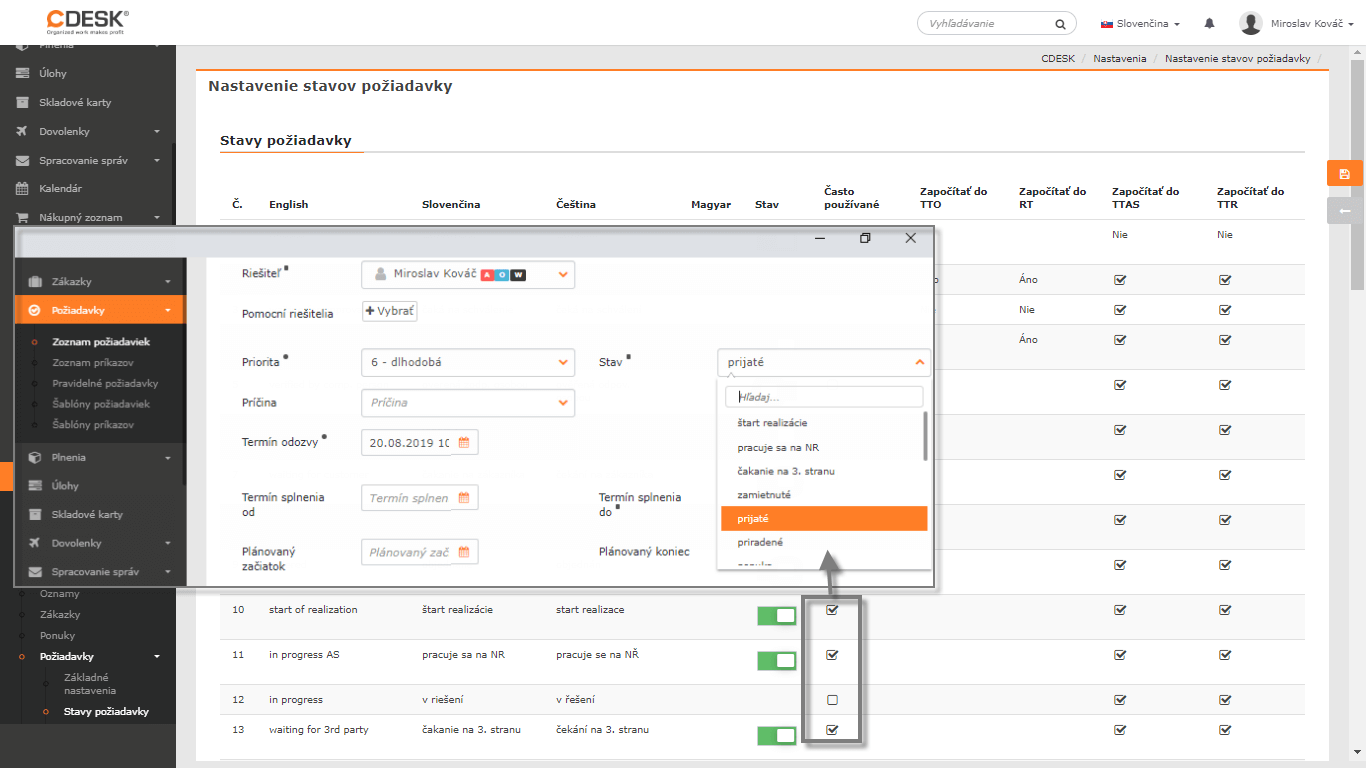
Optional naming of items under CMDB
After the latest update, you can set your own terminology for the CMDB module, including CI Maingroups, CI Types and CI List. 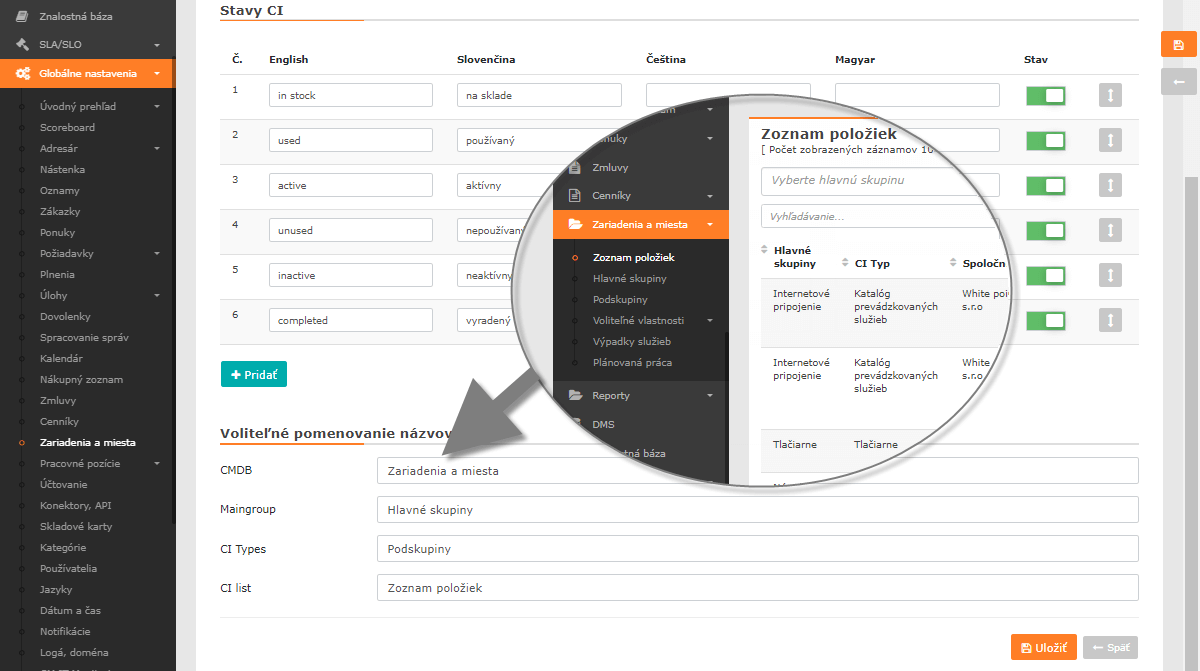
List of all CDESK 3.0.167 news >